
Snowboard Game Party
5,283
Jump into the exhilarating world of Snowboard Game Party for an action-packed multiplayer skiing adventure. Race against other players on ever-changing ski slopes packed with unexpected twists and turns. Masterfully steer your character to maintain top speed while dodging obstacles like snowballs, fences, and steep drops. Compete in thrilling races to rack up points, unlock new equipment, and personalize your look to stand out from the crowd.
Recommended Games
View All
5.0
Higway Drift Car
Use WASD keys to control the movement of your character or vehicle. W moves forward, S moves backward, A steers left, and D steers right. This setup allows for precise navigation through various environments and challenges within the game.
6,748
4.7
Rickshaw Driver
Use WASD keys for movement, press C to switch camera angles, and hit Escape to pause the game.
5,125
4.5
Bulldozer Crash Race - Mad 3D Racing Game
Touch or click screen elements to interact, triggering actions, selecting options, or progressing through the game.
6,598

4.9
Adventure Jungle
Start the game by tapping play. Move your character using arrow buttons on screen for left, right, up, or down navigation. Avoid obstacles like cars, lions, and other hazards in the jungle.
3,567

4.4
Spiderman Run Super Fast
Tap the screen to make your character jump over obstacles and collect points. Avoid hitting any barriers for a higher score.
5,794

4.6
Gravity Climb Girl
Click the mouse to interact with elements in the game, triggering actions or selecting options to progress through levels or complete objectives.
3,981

4.3
Animal Racing 2
Click or tap the screen to interact and progress through the game. Use these inputs to trigger events, solve puzzles, and navigate levels.
7,060
4.5
Play Train Racing 3D
In Mouse Controls, players navigate and interact using movements of their mouse. Clicking selects actions or items, dragging allows for precise positioning, and hovering over elements provides additional information or prompts. This intuitive interface streamlines exploration and engagement, enhancing accessibility and responsiveness in gameplay.
6,795
4.3
Dirt Bike Rally Racers
Race in this uniquely retro-styled game, unlocking new levels by finishing first, second, or third in each competition.
4,814
4.7
Drive like Boss
In KeyBoard Controls gameplay, players use keyboard inputs to interact with the game world. Arrow keys navigate character movement, spacebar for jumps, and action keys for special abilities or attacks. This setup allows for precise control over in-game actions, enhancing player engagement and skill development. Through practice, players can master complex sequences and strategies, making the gaming experience both challenging and rewarding.
4,022
4.1
Drifty Master
Navigate using AD keys for left and right movements on PC. Tap corresponding buttons for the same actions on mobile devices.
5,996
4.1
HTML5 Parking Car
Use arrow keys or WASD to control your car's movements, steering left, right, accelerating forward, and reversing to park accurately in the designated spot.
3,553
4.3
Let's Park Car
Arrow keys to control the car's movement. Pressing up accelerates the car, down decelerates or reverses direction, left turns the car left, and right turns the car right. Adjust speed and direction carefully to navigate through the course safely and efficiently.
4,751
4.4
Desert Road HD
In Mouse Click Arrows, players guide an arrow through a series of levels by clicking on the screen. Each click propels the arrow forward. The objective is to navigate the arrow through a maze of obstacles and reach the target. Players must time their clicks carefully to avoid collisions and collect bonuses for precision and speed.
4,994
4.8
Extreme Bicycle
Slide left or right to navigate your character swiftly through the levels, avoiding obstacles and collecting items for points.
7,448
4.7
Car Parking - Mini Car Driving
Use the arrow keys to move left, right, up, or down. Press the spacebar to jump or perform an action specific to the game. Utilize 'Z' and 'X' for special abilities or interactions depending on the in-game scenario. Adjust your strategy based on the challenges presented on each level.
3,725

4.2
Bus Stunts Game
Controls: WASD for driving, C to adjust the camera angle, F to use nitro for speed boosts, B to view behind the vehicle. This setup allows for easy navigation through the game environment, with options to enhance visibility and speed as needed.
3,092

4.6
Parking Mania
Use mouse or keyboard to play. Navigate through the game using your preferred input method. Click or tap with the mouse to interact with objects. Press keys on the keyboard to perform actions like jumping, attacking, or casting spells. Adjust settings for sensitivity and controls to enhance your experience.
6,087
4.5
Rally Road
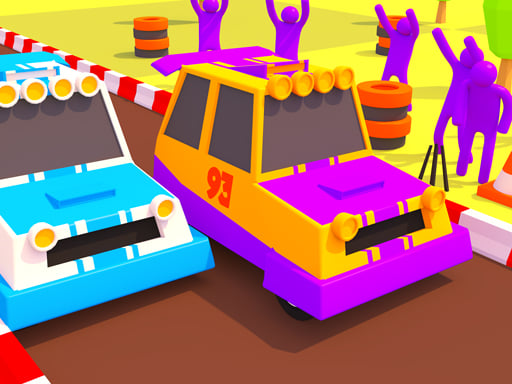
Switch lanes by swiping left or right on mobile or pressing left or right keys on desktop. Slow down by tapping and holding to brake on mobile or pressing the space key on desktop. Accelerate quickly by swiping up on mobile or pressing the up key on desktop.
3,206